Showing posts with label challenge. Show all posts

Tuesday, July 14, 2015

Photo A Day ~ July 6 - 12


July 6 ~ My Name
July 7 ~ Minimalist
July 8 ~ Inside my Fridge
July 9 ~ Street
July 10 ~ My Story
July 11 ~ Late
July 12 ~ Early


Wednesday, July 8, 2015

Photo A Day Challenge

First week of July is done...well I missed one day.


* July 1 ~ In the house
* July 2 ~ Signed Sealed Delivered (missed that one)
* July 3 ~ Outing
* July 4 ~ Red White Blue
* July 5 ~ Me today

This month my personal challenge is to take all the daily prompts with my cell phone.

If you're interested in joining in on the fun click here!

Capture Life!

Thursday, June 11, 2015

One week down...

Here's the first week of June from the "Photo A Day" challenge.


June 1 ~ Many
June 2 ~ Looking Up
June 3 ~ Silly
June 4 ~ Starts with "B"
June 5 ~ Looking Down
June 6 ~ Who am I
June 7 ~ Forgotten

If you're interested in joining in click here.

Wednesday, February 11, 2015

Photo A Day

Week 5 photo a day challenge.


                             *Day 26 ~ Three Things
                             *Day 27 ~  Morning
                             *Day 28 ~ Strange
                             *Day 29 ~ Winter/Summer
                               (depend on where you live)
                             *Day 30 ~  Favorite food
                             *Day 31 ~   On Top
                             *Day 01 ~  On your plate
                          As you can see I didn't actually take a pic for Feb.1

If you're interested in the FMS Photo A Day challenge, click here for more details.

Tuesday, January 27, 2015

FMS Photo A Day Challenge

Week 4

Prompts for the week:
*  1/19 - Homemade
*  1/20 - Window
*  1/21 - In a row
*  1/22 - Collection
*  1/23 - Something far away
*  1/24 - Playtime
*  1/25 - Black and White

Capture life!

Tuesday, January 20, 2015

Photo A Day Challenge

I've been in this group for some time now and haven't always participated every day or even every month.  So, I decided I was going to make it a point to stick with it this year.  I have missed a couple of days and I'll admit a couple of the photos are from my archives, but at least I'm trying...right?  Here in a few collages are the first 3 weeks of the challenge from Fat Mum Slim.
Week 1: Sky, Something Yellow, You and What you hear

 Week 2: Square, Round, What you're reading, 
Landscape, Pattern, Hello and I see

Week 3: Bright, Lucky No., New, Old,
Nature, Jump and Today is

It's a lot of fun and a great group of people too.

Capture Life!

Friday, April 5, 2013

Collage

Photo Art Friday
Challenge is
Collage


Since I was in a hurry to get this in, I took the easy way in making my collage this week.  I first opened up Pic Monkey "collage" and added my photos, moving the slider where there was no spacing.  Then I went into Pixlr Editor added a few different textures (sorry can't remember the names of them) and added Ruby Blossom's clock texture (that's the only one I can identify :).  I added a glamour glow affect and a grunge ripped paper from Pixlr Express.  I also added the quote in Pic Monkey.

Check out more of  Pixel Dust Photo Art's Photo Art Friday challenge by clicking below.

Photo Art Friday

Thursday, March 28, 2013

Photo Art Friday

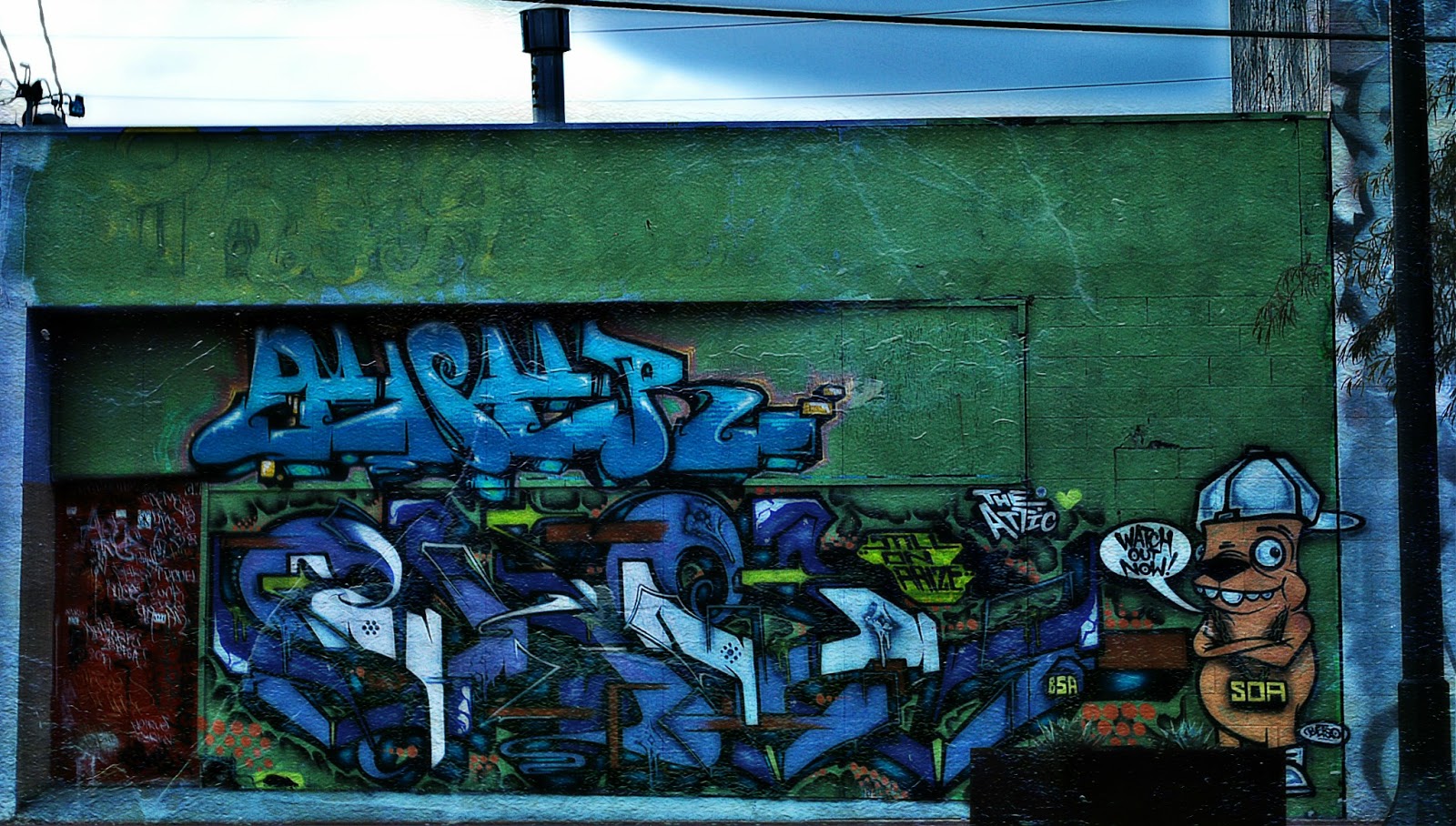
GrAFfiTi!


I took this photo about a month ago.  The area where I have a little boutique at is in The Arts District of Las Vegas.  There are photographers constantly shooting all around us.  This wall gets a lot of attention along with another one down the street and around the corner of us (also inside the garden area of our shop).  

I decided I'd take a photo of the wall (unfortunately we had some "taggers" ruin the wall and it's painted a solid color with nasty tagging on it now)...if I get a chance I'll take another photo and post it here too.

I don't remember everything I did, but I do know I added a glamour glow affect and Pixel Dust Photo Art's texture, "Other Worlds" using blending mode "hardlight" at 100%, erased the texture from the sky area because it just didn't fit.

If you want to know more about Photo Art Friday click on the picture below!

Photo Art Friday

Capture Life!

UPDATE:  Here is the most recent photo of the wall from above.  I'm sure some will still say it's art and that's fine, but I'd rather look at the other wall.


Friday, March 22, 2013

Photo Art Friday

Self Portrait

...in the eyes of the beholder.

I shot a photo of myself and then cropped only the top half of my face (well a little less) added Bonnie's fabulous free texture "Beauty is" on blending mode hardlight at 100%.  But thought it needed a bit more I used the art poster effect from Pixlr Editor and wanted more artistic flare, went into Pixlr Express and used the creative express "Yin" to give it the layered look it has then added a grunge like frame.  

Pixlr's photo editing is a free editing program in case you didn't know or are interested.

I'm happy with the results.

If you're interested in Bonnie's Photo Art Friday or to check out her wonderful textures click here.

Thanks for stopping by!

                                                                                Capture Life

Tuesday, March 12, 2013

Texture Tuesday ~ Anything Goes eDition

This week over at Kim Klassen's cafe, we're to use any photo of your choice, textured or not textured...easy.  Not so easy to choose just one for me, but I decided to keep it simple and only use two of my favorites (at least at the moment).


I was leaving to take my son to school and opened the garage door and saw this amazing sky.  I ran back into the house grabbed my camera and shot it from my driveway.  The cloud's formation was just so magical, something you'd see in a fairy tale book.   The sun was hitting the clouds making them a golden color and the moon still high in the sky, I couldn't believe how lucky I was to be there at that magical moment.  By the time my son got in the car and we pulled out of the driveway, the clouds had moved and the sun was over the mountains.


This is the park I walk my dog in everyday.  I see these birds (Grackles) all over the park.  I remembered to grab my camera on my way out the door and I was also participating in another challenge and for that day it was "bird".  I like this shot because of the DOF and how proud that bird is on the edge of the garbage can.  He was just sitting there staring at me, almost like he was posing.  After I took the shot he did fly away and I was so hoping it was a good one...I think it is.

Head over to see more entries at Kim Klassen Cafe!

kimklassencafe

Friday, March 1, 2013

Today is...

Photo Art Friday!

Here is my submission...

The theme this week is "Vintage" and we're to use fabulous Bonnie's free texture "Antique Me".

Unfortunately, I didn't write down exactly what I did with this photo except that I lowered the saturation, went into curves and warmed the photo up a bit and added a vintage filter and the texture.

These are just three of the tea pots that we make in a series called "Treacherous Tea Pots".

Click on the image below to find out more about Photo Art Friday and to visit others work.

Photo Art Friday

Saturday, February 16, 2013

Photo Art Friday

Once again a day late...but I still made it!

This weeks challenge is to use any photo art of your choice or to use Pixel Dust Photo Art's free texture "Bamboo Dreams".  I loved the texture and chose to do use it.

I lowered the saturation and then used a Cross Process filter added the texture using blending mode overlay at approximately 85%.  I then used one of Jerry Jones' textures "Black Box overlay" on Screen blending mode at 100%.  I added another filter "Vintage" over the whole thing.

Capture life!

Tuesday, February 12, 2013

Texture Tuesday - The Love eDition

It's been quite awhile since I participated in Kim Klassen's Texture Tuesday challenge.  This week's challenge is to use any of her fabulous textures themed around the word "Love".

One day I was up at the park close to my house and on the track that goes around the park were all these tiny little flowers that had fallen off the trees.  This idea came to me to scoop them up and spell a word out of them.  So I came up with the word "love" and thought I could use my fingers using the "peace" sign for the "v" and in one photo I could convey two messages; Love and Peace.  That's what I had felt at the time.

I used Kim's texture "More Magic" using screen mode at 100%, I felt it was very suited for this photo because of all the inspiring words on it.  I also used a filter called "glamour glow" to darken it a bit and it also softened it.


Here is the original photo.

If you're interested in Kim's challenge click here.  Maybe you'd like to get inspired by others photography either way, you'll be happy you did.

Capture Life!

Saturday, February 9, 2013

Photo Art Friday

This weeks challenge is to use Pixel Dust Photo Art's fabulous free texture, "Dropped Petal" another one of PDPA's texture and use one or two images of your own/one you can get from the web for free.  You can as always use any photo art of your choice.

Here's my first attempt:
I started off with the texture, dropped petal and added my two photos, 1) leaves on a tree, 2) a church steeple, both at blending modes overlay anywhere from 85% - 100% (I can't remember).  I then added PDPA's texture "leafy landscape" blending mode overlay 100%.

I thought it needed a little something so I added another photo of mine 3) seagulls
using blending mode difference at approximately 95%.
 
It really changed the whole photo.  Here are the actually photos I used...


Be sure to go to Pixel Dust Photo Art blog to see more fabulous photo art, click here.

Capture Life!

Friday, February 1, 2013

Photo A Day Challenge

Day 31
You

Ending the first month of Photo A Day Challenge for 2013, is to take a photo of yourself.

This is me taking a photo of our new window display...during the day the reflection is horrible, but I thought what a great way to photograph myself without photographing myself...lol!

I used Jerry Jones of Shadow House Creations, Black Box Overlay Set, on blending mode "Screen" at 100%.

Here is the window taken at night.

Capture Life!

Friday, January 25, 2013

Photo Art Friday

This weeks challenge is the word "hardware" definition: the mechanical equipment necessary for conducting an activity,         usually distinguished from the theory and design that make the activity possible.  Or you can post any photo art of your choice.


I used Pixel Dust Photo Art's texture "Age it" and Kim Klassen's "Wonderful Magic Screen" then I used blending mode "difference" at 100%.

Head over to Pixel Dust Photo Art blog to see more amazing photo art or to learn more about Photo Art Friday!

Capture Life!

Thursday, January 24, 2013

Day 23 and 24...Photo A Day Challenge

I've missed a few days and decided that I'm not going to worry about those and just move on...besides it's suppose to be fun and challenging, "not work"...right!

For day 23 it's Electric ~ I photographed a sign that our business had custom made for our display window during our grand opening.  The sign represents the area of town our shop is in, the 18b, which is the Arts District in Las Vegas, NV.

 Sign designed and made by Bryan Lago


For today, Day 24 ~ Stripes....unfortunately, I did take this photo during my trip back to Texas.  I wasn't sure if I'd have to time to think of something creative (I have to work today) so I cheated a bit and submitted this one.  Now, if I get a chance or if something creative comes up, I will submit another one for today.

For more information on FMS Photo A Day Challenge, click here.

Capture Life!

Wednesday, January 16, 2013

FMS Photo A Day

Challenge for day 14 is "Something Yellow". 

A friend of mine who is a great polymer clay artist, sculpted the Hogsmeade village from Harry Potter (along with other mediums as well).  She did this scene to put in our shop's (Vexed by Design) display window for Christmas.  She asked if I would take some photos for her.  So my photo a day is this sweet little tea shop from her village...


Here is a shot of the whole village.


For more information on FMS Photo-a-Day Challenge click here.

          Capture life!

Sunday, January 13, 2013

Day 13 ~ Circle

I couldn't decide on which photo I wanted to use for the FMS Photo A Day Challenge, so I put them in a collage.


Textures used in these photos are from Jerry Jones of Shadow House Creations.

Capture Life!


Surprise ~ Day 12


I had already made my dog leave the kitchen for begging and well he thought he was being sneaky...well surprise...gottcha!

I edited my shot in Pixlr Editor (free program)...I first cropped the shot, then used a HDR filter and added the vignette.  This is a pretty simple program and along the lines of Photoshop/Gimp.

Capture Life!